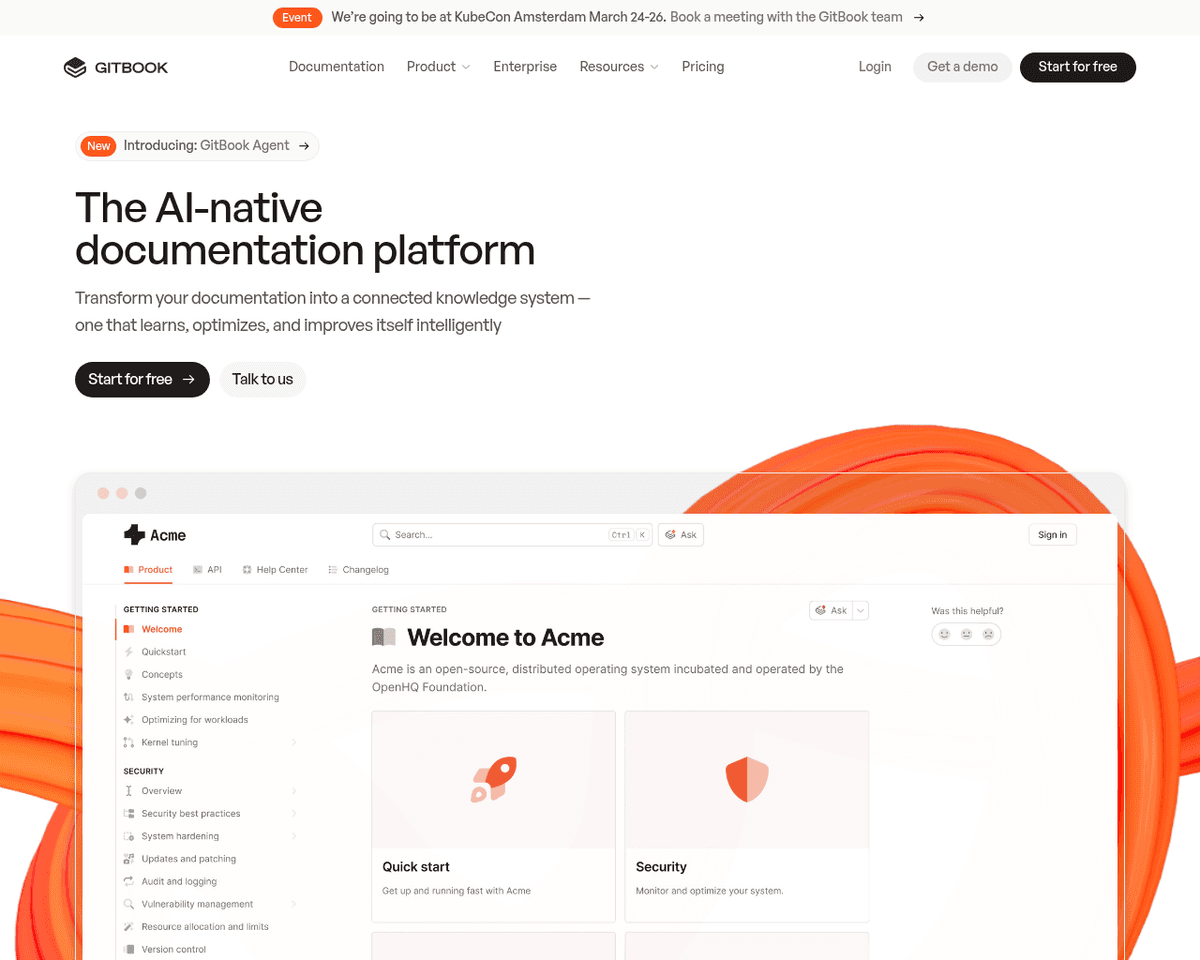
 Live Preview
GitBook
Features
- Intuitive Editor — GitBook features a user-friendly editor that supports Markdown formatting, making it easy for teams to write and update documentation quickly.
- Automatic Syncing — Teams can set up automatic syncing between GitBook docs and Git repositories, ensuring that documentation stays version-controlled alongside code changes.
- AI-Powered Updates — GitBook utilizes AI to flag outdated or conflicting content, helping teams maintain accurate and up-to-date information.
- Seamless Integrations — The platform integrates with popular development tools like VS Code, allowing engineers to access documentation without disrupting their workflow.
- Real-Time Collaboration — Multiple users can edit documents simultaneously, enhancing teamwork and productivity with built-in workflows for change requests and peer reviews.
- Robust Security Features — GitBook is SOC 2 and ISO 27001 certified, ensuring compliance with security standards and providing role-based access controls for sensitive information.
Use Cases
- Internal Knowledge Bases — GitBook serves as a central repository for documentation, wikis, and guidelines, helping teams keep crucial information organized and easily accessible, ensuring that valuable tribal knowledge is retained even when employees move on.
- Public Documentation — Technical writers and developer relations can create user guides and tutorials for products and APIs, enhancing user experience with interactive demos and a feedback system to continuously improve documentation based on user input.
- Open Source Projects — Open source maintainers can enable community contributions with editable docs, showcase projects with custom branding, and manage discussions around documentation, fostering a collaborative environment for developers.
Related Tools
Tools with similar capabilities you might also like

Mistral AI Large 2 (24.07) excels in generating synthetic text and code, making it a versatile asset for developers and content creators alike. Its architecture
This approach makes it particularly appealing for individuals and organizations looking to enhance text clarity without a financial commitment. The tool include

By utilizing natural language processing and machine learning, Fable Fiesta allows users to input their creative ideas and receive detailed outputs that include
With a variety of ready-to-use APIs, it supports essential tasks such as named-entity recognition, sentiment analysis, and text summarization, making it a versa
By providing software development kits (SDKs) tailored for various platforms, it enables seamless integration of these capabilities, enhancing user experience i

Users benefit from an array of templates and themes that cater to different genres and styles, allowing for a personalized storytelling experience. The integrat