 Live Preview
Keyframes Studio
Features
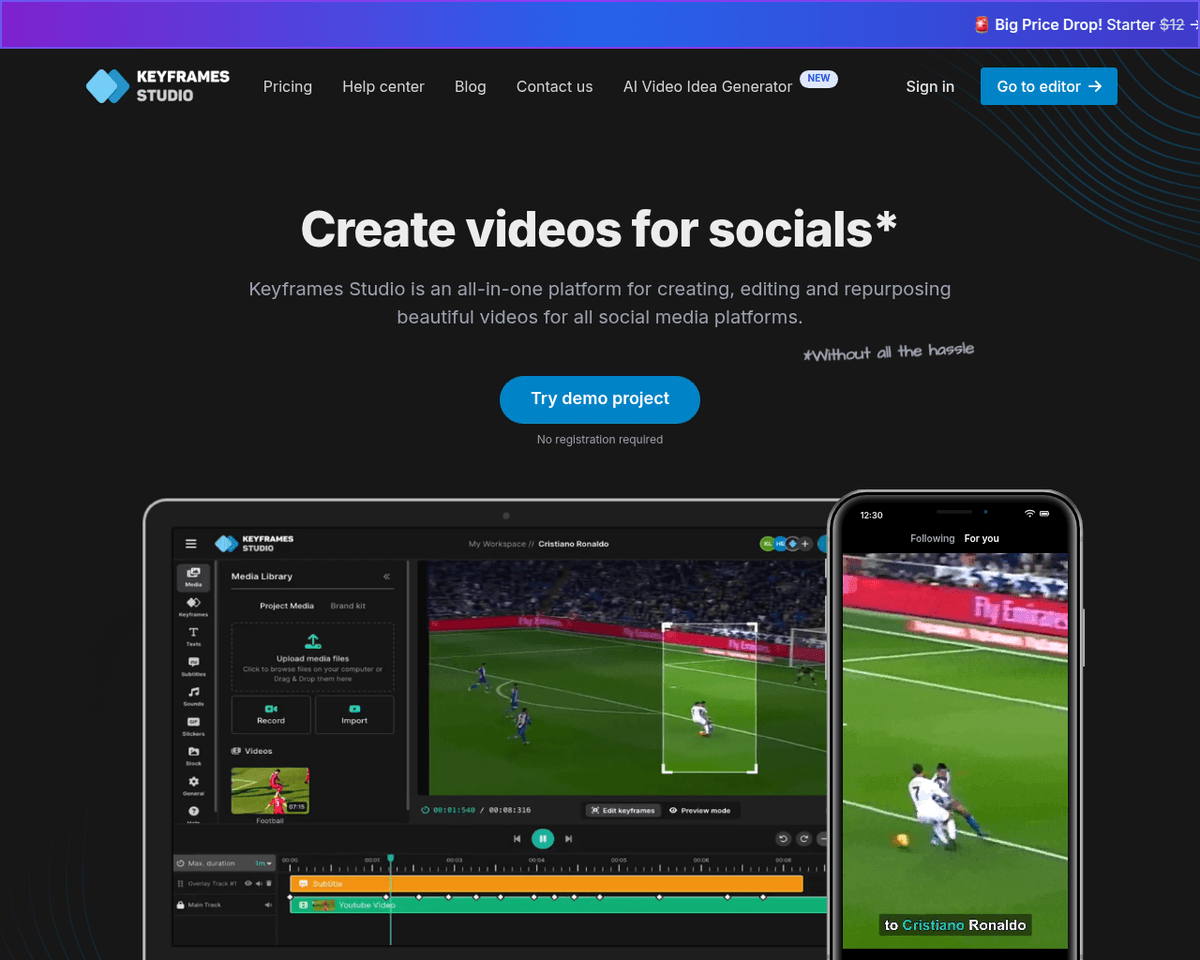
- Intuitive Interface — Keyframes Studio features a user-friendly design that makes video editing accessible to everyone, regardless of experience.
- AI-Powered Keyframe Suggestions — The tool offers automatic keyframe recommendations, ensuring smoother animations with minimal effort.
- Easy Subtitle Generation — Adding subtitles to your videos is a breeze, enhancing accessibility and engagement.
- Automatic Aspect Ratio Handling — Keyframes Studio automatically adjusts aspect ratios for different social media platforms, saving you time and hassle.
- High-Quality Output — Produce professional-grade videos without the complexity of traditional editing software.
- Time-Saving Features — Designed to streamline the video creation process, allowing you to focus on your content rather than the editing.
FAQ
What is Keyframes Studio?
With features like AI-driven keyframe suggestions and automatic subtitle generation, it allows users to focus on creativity rather than getting bogged down by technical complexities. The platform’s ability to automatically adjust aspect ratios ensures that videos are optimized for various social med
How much does Keyframes Studio cost?
Visit the official Keyframes Studio website for the most up-to-date pricing.
What are the key features of Keyframes Studio?
Keyframes Studio includes features such as: [object Object], [object Object], [object Object], [object Object], [object Object].
Related Tools
Tools with similar capabilities you might also like
By leveraging AI technology, it efficiently distills long-form content into concise, engaging clips that highlight essential points. Users can easily upload vid
Its ability to produce high-quality video clips in response to simple text prompts is a significant advancement, allowing users to create engaging visual narrat

This accessibility allows both amateur creators and seasoned artists to explore their creativity without the need for extensive technical skills. The platform's
Its integration of deep learning, natural language processing, and facial recognition technologies enables users to generate lifelike avatars that can effective
Its browser-based platform offers a suite of advanced features, such as rotoscoping, inpainting, and color correction, making it accessible for both seasoned pr
The process is straightforward: users input their text, select an avatar that fits their video's theme, and choose the desired voice and language. This simplici