Quino
Features
- Summarization — Generate concise summaries from highlighted text passages to quickly grasp key concepts.
- Bullet Point Summarization — Create simple bullet points from highlighted sections to easily identify essential information.
- Question Answering — Ask context-based questions and receive detailed answers to clarify understanding.
- Question Generation — Automatically create multiple choice questions and flashcards for self-assessment.
- Semantic Search — Discover related topics and keywords within documents to explore connections between concepts.
- Knowledge Evaluation — Take auto-generated practice tests to track learning progress and focus on weak areas.
Use Cases
- Students — Quino empowers students to understand textbook content more easily, absorb key information quickly with summaries, and study efficiently for exams with practice questions, all while keeping their notes organized.
- Teachers — With Quino, teachers can provide summarized materials, create practice tests for students, and organize curriculum documents seamlessly, enhancing the learning experience for their classes.
- Researchers — Researchers can quickly parse large academic texts, utilize semantic search to explore connections, and summarize key points, making their research process more efficient and productive.
- Professionals — Quino helps professionals review industry reports and manuals efficiently, distilling key takeaways and organizing essential documents, which enhances their productivity in the workplace.
- Lifelong Learners — Lifelong learners benefit from Quino by absorbing new skills quickly, taking notes from online courses, and organizing their learning materials in a personalized way, making learning a continuous journey.
Related Tools
Tools with similar capabilities you might also like
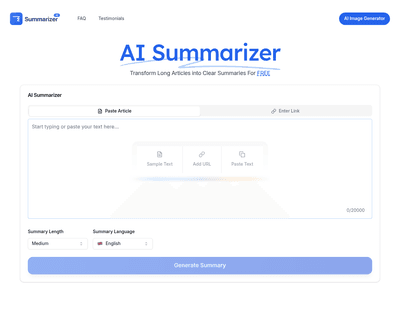
Supporting over 20 languages, it caters to a diverse audience, from students to professionals, allowing users to quickly grasp essential insights from complex t
This targeted functionality is especially beneficial for students and educators who need to create comprehension tests or revision quizzes quickly. The basic ve
By leveraging AI technology, it identifies key facts and main points, enabling students, professionals, and researchers to reclaim valuable time. This tool is p
Users can effortlessly input text or upload PDF documents, after which the application identifies key concepts and relationships within the content. This capabi
By simply inputting a link, users can engage with the AI to receive concise summaries and answers to their questions, making it particularly beneficial for thos
Users can upload PDFs, link YouTube videos, or simply input topics, and within moments, they receive tailored summaries, flashcards, mind maps, and quizzes. Thi