 Live Preview
Retouch4me
Features
- One-click retouching — Achieve professional-quality retouching with just a single click, saving you significant time and effort.
- Preserves original skin texture — The AI enhances portraits while maintaining the natural look of skin, ensuring results that feel authentic.
- Works as Photoshop layers — The plugins integrate seamlessly into Photoshop, allowing you to preserve your original images and make adjustments easily.
- Batch processing capability — Process multiple images at once, streamlining your workflow and increasing efficiency.
- Easy to use interface — Designed for users of all skill levels, the intuitive interface helps you get started quickly without a steep learning curve.
- Mimics work of human retouchers — The AI is trained to replicate the techniques of professional retouchers, delivering high-quality results that look expertly done.
Use Cases
- Portrait Photography — Retouch4me is a game changer for photographers, allowing them to achieve professional-quality retouching in just one click, saving hours of editing time after each shoot.
- Professional Retouching — For seasoned retouchers, Retouch4me accelerates workflow by automating tedious tasks, enabling them to focus on creative aspects while processing more images efficiently.
- Learning Retouching — Beginners can easily learn retouching techniques with Retouch4me’s intuitive plugins, achieving stunning results without the steep learning curve typically associated with photo editing.
Related Tools
Tools with similar capabilities you might also like
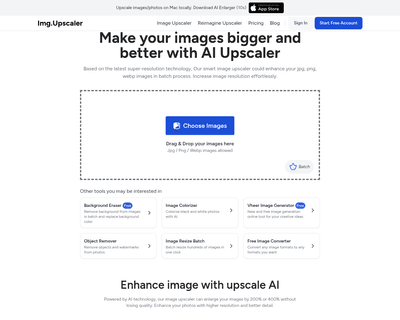
The platform allows users to upscale images by as much as 400%, producing outputs that can reach resolutions of up to 16,000 x 16,000 pixels. With the capabilit

With features like facial analysis, skin retouching, and background adjustments, it caters to both novice and experienced users looking to streamline their work

The platform leverages advanced artificial intelligence and computer vision technology to accurately identify and isolate subjects, even in complex scenarios li

The Nero Image Upscaler stands out by allowing individuals to enlarge images while maintaining high quality, effectively addressing common issues of blurriness
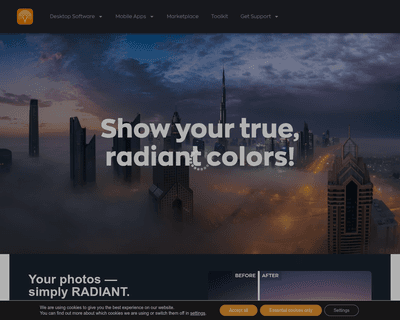
At its core, the software utilizes artificial intelligence to analyze every pixel in an image, enabling it to make intelligent adjustments that enhance color, t

By linking triggers and actions, it allows users to set up automated workflows, known as Zaps, that can significantly reduce the time spent on repetitive activi