 Live Preview
AutopodFM
Features
- Time-Saving Automation — AutoPod.fm automates repetitive editing tasks, allowing you to focus on content creation rather than manual labor.
- Multi-Camera Editing — With just one click, you can effortlessly edit multi-camera videos, streamlining your workflow.
- Social Clip Creation — Easily generate and customize clips for social media, integrating branding elements for effective sharing.
- Jump-Cut Editing — Automatically create jump cuts for silent segments while maintaining audio synchronization, enhancing the viewing experience.
- Cloud-Based System — The tool records your online feed and organizes it into individual episodes, minimizing manual intervention after setup.
- Professional Quality — Designed by editors for editors, AutoPod.fm replicates the editing styles of professionals, ensuring high-quality outcomes.
FAQ
What is AutopodFM?
By automating tasks such as multi-camera editing, social media clip generation, and jump-cut editing, it allows creators to focus more on content quality rather than getting bogged down in the technicalities of editing. This tool is compatible with both MAC and Windows, making it accessible to a wid
How much does AutopodFM cost?
Visit the official AutopodFM website for the most up-to-date pricing information and available plans.
What are the key features of AutopodFM?
AutopodFM includes features such as: [object Object], [object Object], [object Object], [object Object], [object Object].
What category does AutopodFM fall under?
AutopodFM is listed under Video Generation & Editing and Productivity Tools on Hack the Prompt.
Related Tools
Tools with similar capabilities you might also like
With the capability to process 4K videos in under a minute, it significantly reduces the time and effort typically required for such tasks. The bulk swap featur
By automating tasks such as creating shorter clips, adding subtitles, and resizing videos for various social media platforms, it allows content creators to focu

With features that include video creation, editing, and screen recording, it caters to a variety of users, from educators to business professionals. The site of
Users can effortlessly switch formats, whether it’s converting videos to MP4 for easier playback or extracting audio tracks as MP3 files for on-the-go listening
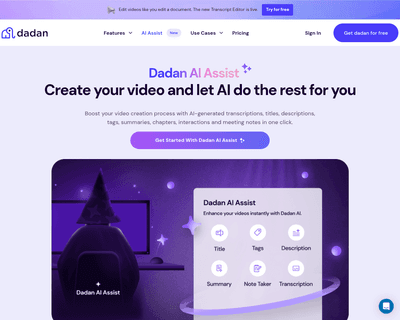
One standout capability is its auto-generation of video transcriptions, which accurately converts audio into searchable text. This functionality not only aids i
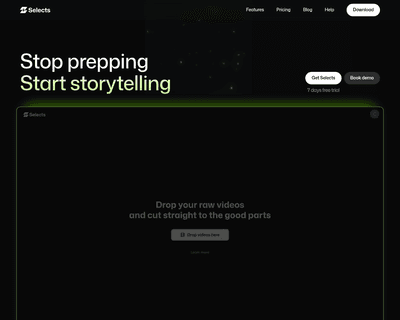
By intelligently organizing footage into scenes, it allows users to focus on the storytelling aspect rather than getting bogged down in the technicalities of ed