 Live Preview
Intellyverse
Features
- Create Custom Assistants — Tailor assistants for specific tasks and choose whether to share them publicly or keep them private.
- Advanced Chat Tools — Utilize features like text wizard, site analyzer, and post generator to enhance your chat experience.
- Share and Clone — Easily copy and modify assistants or prompts created by other users.
- Save Chats — Download your chats and prompts to your PC for future reference.
- Organized Libraries — Keep your chats and prompts organized in private libraries sorted by assistant.
- Search Functionality — Quickly find assistants and prompts by name or category for efficient use.
Use Cases
- Content Creation — Intellyverse empowers bloggers and social media influencers to effortlessly generate engaging blog posts, social media captions, and video scripts, saving them time and enhancing their creative process.
- Data Analysis — Developers and analysts can utilize Intellyverse to extract and analyze site data, transforming complex datasets into clear insights that drive informed decision-making.
- Task Automation — Small business owners can create custom assistants to automate repetitive tasks, streamlining their workflows and allowing them to focus on growth and innovation.
- Consulting — Professionals seeking personalized advice can leverage Intellyverse's AI assistants to receive tailored insights and strategies that cater to their unique challenges.
- Personal Training — Fitness enthusiasts can benefit from an AI personal trainer that provides customized workout plans and nutrition advice, helping them achieve their fitness goals effectively.
Related Tools
Tools with similar capabilities you might also like
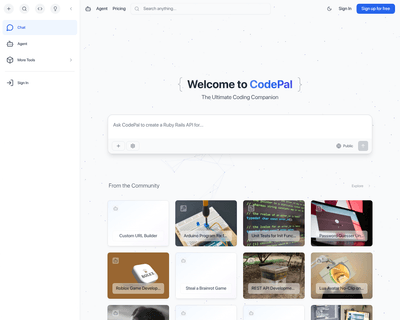
CodePal excels in generating code snippets from natural language input, making it easier for users to express their coding intentions without getting bogged dow
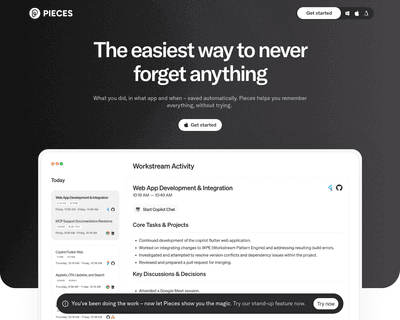
With features that allow users to save, search, share, and reuse code snippets and screenshots, it stands out for its AI-driven capabilities. The integration of

Its no-code builder simplifies the process of defining extraction parameters, allowing users to focus on what data they need rather than how to extract it. By u
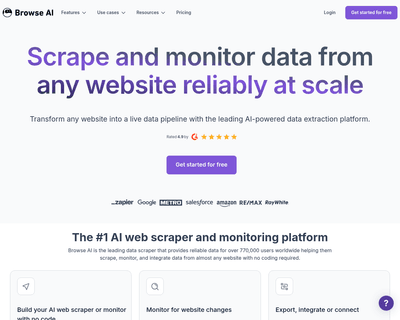
Users can train a robot in just a couple of minutes to gather information, which can then be easily exported in spreadsheet format or integrated with popular pl
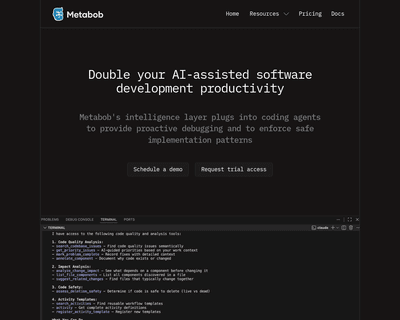
Metabob not only identifies a variety of coding issues—ranging from logical bugs to performance bottlenecks—but also provides context and explanations for these
By providing an NPM package that can be easily installed, it allows for quick integration into existing workflows. The introduction of a command-line interface