 Live Preview
Pixelmator Pro
Features
- Diverse Product Lineup — Choose from a variety of products tailored for different editing needs, including Pixelmator Pro, Classic, and iOS versions.
- Robust Editing Tools — Access a comprehensive suite of user-friendly editing tools that empower creativity and precision.
- Advanced Features — Utilize advanced capabilities like vector graphics, customizable shapes, and smart alignment guides for intricate editing tasks.
- Professional-Grade Tools — Leverage high-quality tools such as RAW image support and machine learning enhancements for superior results.
- Learning Resources — Benefit from a wealth of tutorials, blog posts, and community forums to enhance your editing skills.
- Efficient Workflow — Enjoy a streamlined editing process with advanced technologies that make image editing enjoyable and efficient.
FAQ
What is Pixelmator Pro?
The offerings include Pixelmator Pro, which is equipped with professional-grade tools for advanced editing, and Photomator, which leverages artificial intelligence to enhance photos seamlessly. Each product is tailored to different workflows, whether users are looking for a robust desktop editor or
How much does Pixelmator Pro cost?
Visit the official Pixelmator Pro website for the most up-to-date pricing information and available plans.
What are the key features of Pixelmator Pro?
Pixelmator Pro includes features such as: [object Object], [object Object], [object Object], [object Object], [object Object].
What category does Pixelmator Pro fall under?
Pixelmator Pro is listed under Photo Editing & Enhancement and Design Tools on Hack the Prompt.
Related Tools
Tools with similar capabilities you might also like

One of its standout features is the ability to upscale low-resolution images, enriching them with fine details and improved clarity. Users can guide the enhance

The technology ensures that the final output maintains a professional quality that often rivals traditional photography, making it difficult for viewers to disc
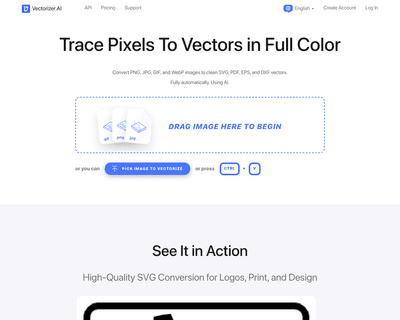
By harnessing a blend of deep learning networks and classical algorithms, it ensures that the vectorization process retains the integrity and quality of the ori

Its user-friendly interface allows individuals, regardless of their experience level, to navigate through various tools effortlessly. The AI Photo Editor simpli
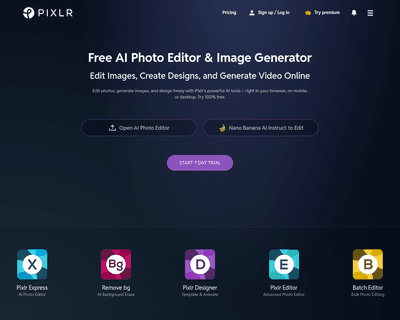
With two primary tools—Pixlr X and Pixlr E—users can choose between a simplified design experience or a more intricate editing environment. Pixlr X is particula

With a wide selection of templates spanning various formats like logos, business cards, posters, and social media posts, Wepik offers a user-friendly experience