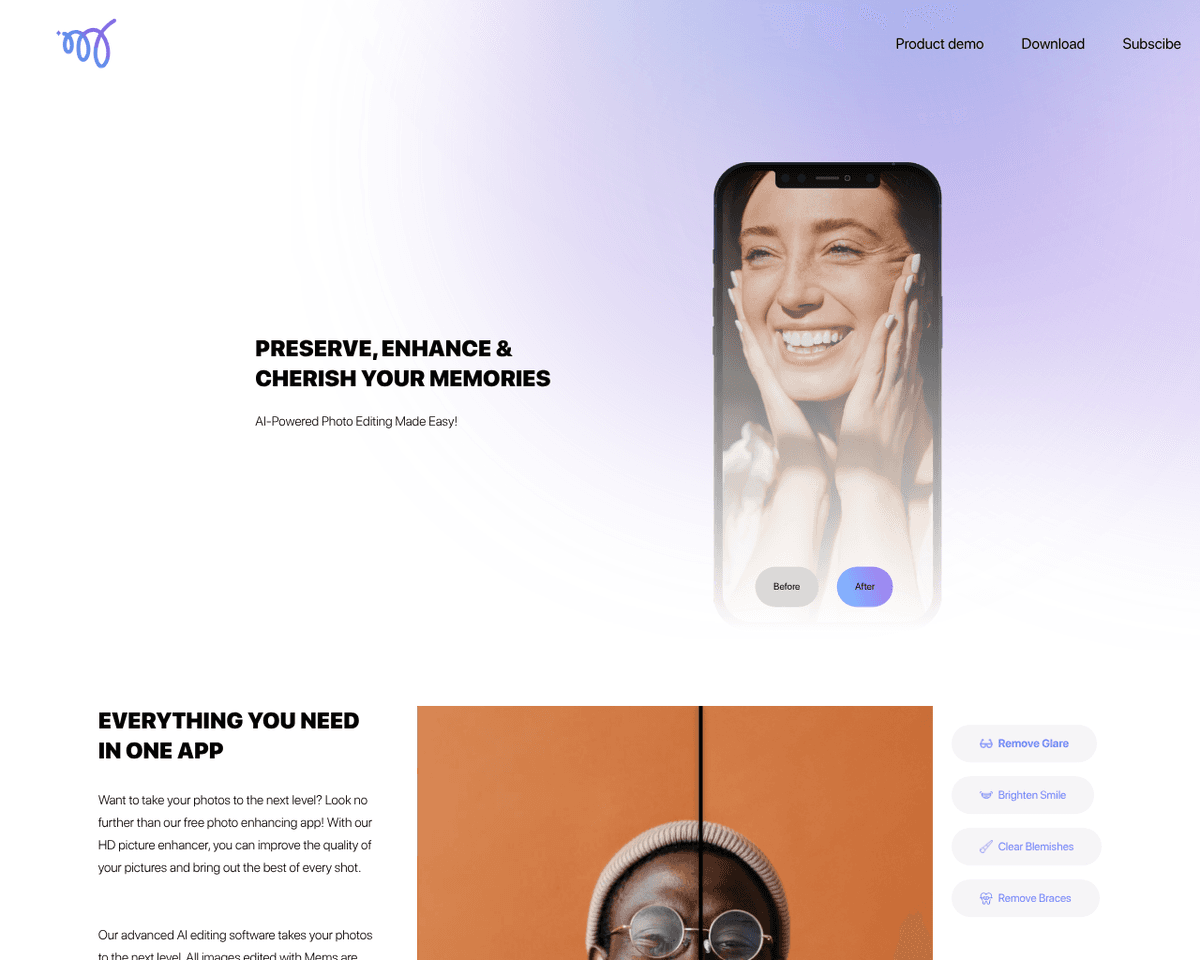
 Live Preview
Mems
Features
- Remove Glare — Automatically detects and removes unwanted glare in photos, ensuring clarity and professionalism.
- Brighten Smile — Enhances smiles by making them brighter and whiter, perfect for capturing attractive moments.
- Clear Blemishes — Identifies and removes skin imperfections while maintaining a natural texture for flawless skin.
- Remove Braces — Effortlessly eliminates braces from smiles, allowing for picture-perfect teeth.
- HD Photo Enhancer — Elevates overall photo quality with smart adjustments to lighting, color, contrast, and sharpness.
- Watermark Free — Enjoy the freedom to edit and share your photos without any distracting watermarks.
Use Cases
- Casual Photography — MEMS empowers casual photographers to effortlessly enhance their photos, transforming ordinary shots into stunning visuals without needing advanced editing skills.
- Social Media Influencers — With MEMS, social media influencers can elevate their online presence by creating eye-catching images that attract more followers and engagement.
- Portrait Photographers — Professional photographers will appreciate MEMS for its ability to enhance portraits, making faces look flawless and ensuring every shot is picture-perfect.
- Selfie Enthusiasts — Anyone who loves taking selfies can benefit from MEMS, as it automatically retouches and enhances images, helping users to look their best in every shot.
- On-the-Go Editors — For busy individuals who need quick fixes while on the move, MEMS provides a fast and intuitive solution to improve photos instantly, ensuring memorable moments are captured beautifully.
Related Tools
Tools with similar capabilities you might also like

Your AI endurance coach that reaches out first.

The application’s drag-and-drop interface simplifies the process of opening, filtering, and merging CSV or Excel files of any size, all while maintaining data p

Users can easily create engaging demos that allow others to interact with their models in real-time, whether it's adjusting parameters with sliders or uploading
The one-click installer for Windows simplifies the setup process, allowing users to dive right into face swapping and enhancing without technical hurdles. With

One of its standout features is the ability to upscale low-resolution images, enriching them with fine details and improved clarity. Users can guide the enhance

This innovative method, known as EMO, excels in creating lifelike animations that include accurate lip-syncing and a range of facial expressions. By utilizing j