 Live Preview
Tomat.AI
Features
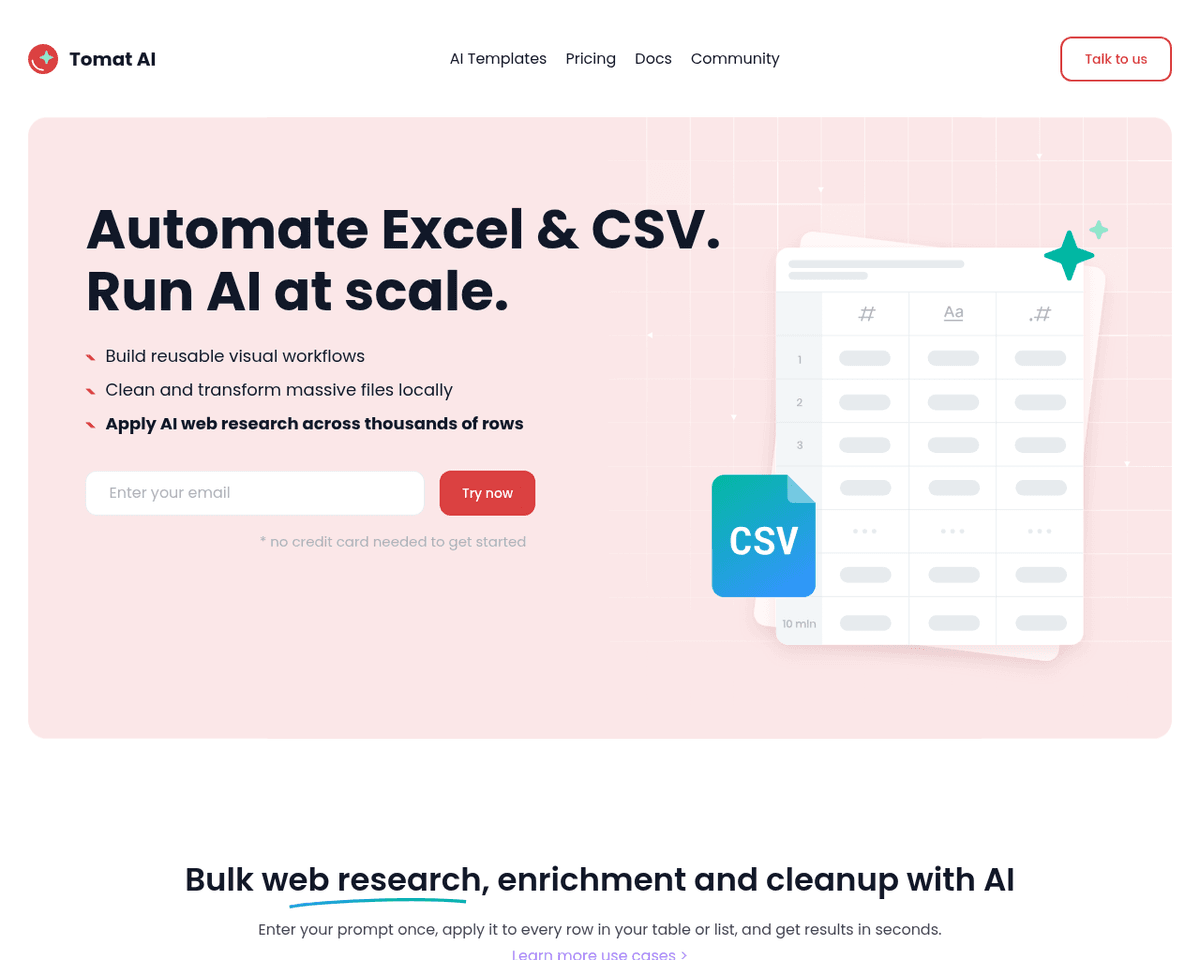
- Open Large CSV/Excel Files Locally — Easily access files of any size without the hassle of uploading to the cloud.
- Code-Free Workflow — Enjoy an intuitive drag-and-drop interface that allows you to filter, sort, and transform data effortlessly.
- Merge Multiple Data Sources — Combine various data sources into a unified table with just a few clicks.
- Create Stunning Visualizations — Transform your data into beautiful charts and visual representations.
- AI Assistant for Automation — Leverage AI to enrich, cleanse, and categorize your data, saving you time and effort.
- Privacy & Security — Rest assured knowing that all your data remains local, giving you full control over your information.
Use Cases
- Data Analysis — Tomat.AI empowers data analysts to filter, aggregate, and pivot large datasets effortlessly, allowing them to uncover valuable insights quickly and efficiently.
- Data Processing — With Tomat.AI, business analysts can clean, transform, and enrich customer and sales data, streamlining their workflow and enhancing decision-making processes.
- Reporting — Data engineers can leverage Tomat.AI to create stunning charts and dashboards from CSV data, making reporting more impactful and visually appealing.
- ML Data Preparation — Data scientists benefit from Tomat.AI by easily preparing datasets for machine learning models, allowing for rapid prototyping and exploration before modeling.
- Ad-Hoc Analytics — Students and academics can conduct quick analyses without the need for coding or SQL, making data exploration more accessible and efficient.
Related Tools
Tools with similar capabilities you might also like
Your AI endurance coach that reaches out first.

The app excels in identifying various elements within a photo, such as people and objects, and applies tailored edits accordingly. For instance, it can automati

Users can easily create engaging demos that allow others to interact with their models in real-time, whether it's adjusting parameters with sliders or uploading
The one-click installer for Windows simplifies the setup process, allowing users to dive right into face swapping and enhancing without technical hurdles. With
One of its standout features is the ability to upscale low-resolution images, enriching them with fine details and improved clarity. Users can guide the enhance

This innovative method, known as EMO, excels in creating lifelike animations that include accurate lip-syncing and a range of facial expressions. By utilizing j