 Live Preview
Playground AI
Features
- Mixed Image Editing — Blends real and AI-generated elements seamlessly, allowing users to expand images beyond their original borders, erase unwanted elements, and fit objects into any scene.
- Sketching and Growing Images — Users can sketch their ideas and expand images, enhancing creative freedom and detail enhancement.
- Erase and Fit Objects — Allows for the removal of unwanted elements and seamless integration of objects into any scene, enhancing the overall image composition.
- Collaborative Projects — Supports team collaborations, making it easier to brainstorm, piece together, and refine creative ideas collectively.
- Text-to-Image Generation — Converts textual descriptions into detailed images, broadening the scope of creative possibilities and content generation.
- User-Friendly Interface — The platform's intuitive design ensures accessibility for users of all skill levels, from beginners to professionals.
FAQ
What is Playground AI?
By merging real and AI-generated visuals, it empowers users to expand their creative horizons without needing extensive design expertise. The ability to blend images seamlessly, erase unwanted elements, and fit objects into various scenes enhances the overall composition, making it a valuable tool f
How much does Playground AI cost?
Visit the official Playground AI website for the most up-to-date pricing information and available plans.
What are the key features of Playground AI?
Playground AI includes features such as: [object Object], [object Object], [object Object], [object Object], [object Object].
What category does Playground AI fall under?
Playground AI is listed under Gaming and Photo Editing & Enhancement on Hack the Prompt.
Related Tools
Tools with similar capabilities you might also like

The one-click installer for Windows simplifies the setup process, allowing users to dive right into face swapping and enhancing without technical hurdles. With
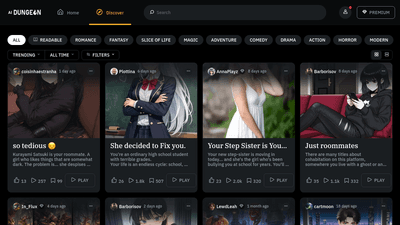
The platform stands out with its user-friendly interface, making it accessible to both experienced writers and those new to storytelling. Key features such as d

One of its standout features is the ability to upscale low-resolution images, enriching them with fine details and improved clarity. Users can guide the enhance

This innovative method, known as EMO, excels in creating lifelike animations that include accurate lip-syncing and a range of facial expressions. By utilizing j

This intuitive approach not only democratizes the art of image generation but also empowers users to refine their creations through iterative editing. The platf

The technology ensures that the final output maintains a professional quality that often rivals traditional photography, making it difficult for viewers to disc