 Live Preview
Tinywow
Features
- Wide Range of Tools — Tinywow.com offers over 150 online tools for various file types, including PDFs, videos, and images, making it a versatile platform for all your file management needs.
- Easy Background Removal — The Remove Background tool allows users to effortlessly eliminate backgrounds from images, providing transparent PNG files or alternative backgrounds.
- Seamless PDF Merging — Users can easily combine multiple PDF files into one document, with options to reorder, rotate, or delete specific pages during the process.
- High-Quality PDF to JPG Conversion — The platform enables users to convert PDF files into high-quality JPG images, with the flexibility to select specific pages and adjust image quality.
- Comprehensive PDF Editing — Tinywow.com allows users to edit PDFs directly, adding text, images, shapes, and annotations, as well as cropping or resizing pages as needed.
- Efficient File Compression — Users can reduce the size of PDF documents with adjustable compression levels, ensuring that files are optimized for sharing without compromising quality.
FAQ
What is Tinywow?
The platform offers an impressive array of over 150 tools that allow users to edit, convert, merge, split, compress, and optimize files without the hassle of registration. For instance, the Remove Background tool simplifies the process of creating transparent images, while the Merge PDF feature enab
How much does Tinywow cost?
Visit the official Tinywow website for the most up-to-date pricing information and available plans.
What are the key features of Tinywow?
Tinywow includes features such as: [object Object], [object Object], [object Object], [object Object], [object Object].
What category does Tinywow fall under?
Tinywow is listed under Photo Editing & Enhancement and Notes & Documents on Hack the Prompt.
Related Tools
Tools with similar capabilities you might also like

By simply uploading a PDF or entering a URL, individuals can pose questions about the content as if they were conversing with a knowledgeable peer. The tool sca

The one-click installer for Windows simplifies the setup process, allowing users to dive right into face swapping and enhancing without technical hurdles. With

One of its standout features is the ability to upscale low-resolution images, enriching them with fine details and improved clarity. Users can guide the enhance

This innovative method, known as EMO, excels in creating lifelike animations that include accurate lip-syncing and a range of facial expressions. By utilizing j
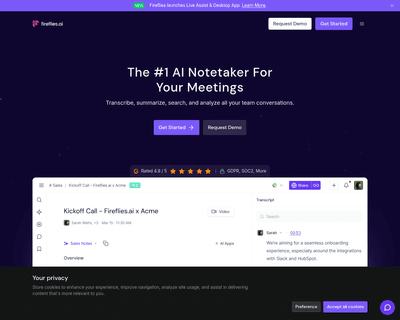
By leveraging advanced voice recognition technology, this application allows users to either upload recordings or have the AI listen in real-time during meeting

This intuitive approach not only democratizes the art of image generation but also empowers users to refine their creations through iterative editing. The platf